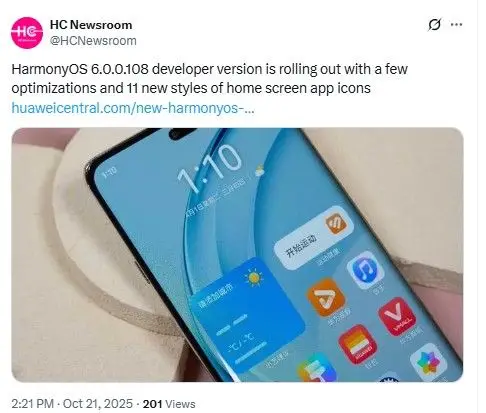
HarmonyOS 6.0.0.108SP2 : Huawei just dropped some helpful tips on getting ready for HarmonyOS 6. If you own a Huawei phone running an older version like HarmonyOS 4 or 5 this update could bring fresh energy to your device.
Imagine smoother apps quicker responses and smarter ways to stay connected all in one easy switch. Today lets walk through what you need to know to prep your phone without any stress. Its all about keeping your photos videos and files safe while you jump into the new world of HarmonyOS 6.
What Makes HarmonyOS 6 Special
HarmonyOS 6 builds on what fans love about previous updates. It focuses on seamless teamwork between your phone tablet and watch. Think of it as a friendly ecosystem where everything talks to each other effortlessly. From better battery life to fun new gestures this version promises to make daily tasks feel lighter.
Huawei shared this info straight from their site so you can trust its solid advice. Whether youre snapping pics on the go or chatting with friends the upgrade aims to boost your experience without overwhelming changes.
Step by Step Prep for a Smooth Upgrade
Ready to dive in First things first back up your stuff. Huawei stresses this because upgrades can sometimes wipe data if youre not careful. Their guide covers simple ways to save everything from contacts to cherished memories. One cool option uses external storage devices like USB drives. Just plug in copy over your files and youre set. This method works great for folks who want an extra layer of safety.
But not every phone supports this backup trick yet. Huawei listed specific models that play nice with it. These include classics like the HUAWEI Mate 30 series in various setups such as full network 8GB plus 256GB or mobile custom 6GB plus 128GB. Then theres the fancy HUAWEI P60 Art nova 6 full network 8GB plus 128GB and HUAWEI P40 in options like full network 8GB plus 256GB.
Dont forget gems like HUAWEI Mate 40 RS Porsche Design or HUAWEI Mate 30 RS Porsche Design.The list goes on with HUAWEI Mate 40 Pro full network 8GB plus 128GB HUAWEI P40 Pro full network 8GB plus 256GB and nova 6 5G. Newer picks join in too like
HUAWEI Mate 50 full network 256GB HUAWEI Mate 30 Pro full network 8GB plus 256GB and HUAWEI Enjoy 9 5G full network 8GB plus 128GB. High end models shine with HUAWEI Mate 40 RS Porsche Design full network 12GB plus 256GB HUAWEI Mate30E Pro 5G and HUAWEI Mate 40.
Keep going for HUAWEI P60 Pro full network 12GB plus 256GB dual card HUAWEI Mate 40E full network 8GB plus 128GB HUAWEI Mate 30 Pro 5G and HUAWEI P60 full network 8GB plus 512GB dual card. Older favorites like HUAWEI Mate 20 Pro mobile 4G plus 6GB plus 128GB HUAWEI Mate 50 Pro full network 512GB and HUAWEI P40 Pro plus full network 8GB plus 256GB round it out. Plus foldable fans get love with HUAWEI Mate X3 full network 12GB plus 256GB and HUAWEI Mate 40 Pro plus full network 12GB plus 256GB
Quick Tips to Back Up Like a Pro
Start by checking your phones settings menu. Head to backup and restore then pick cloud or local options. For external drives make sure your device matches the list above. Test the connection first to avoid hiccups. Also free up space on your phone by deleting old apps or files you dont need. This keeps the upgrade zippy and trouble free.
Why Backing Up Matters Now More Than Ever
Upgrades like this open doors to cooler features but losing data stings. Huawei knows that so they made the guide user friendly. Rumors swirl about which older phones will get the full HarmonyOS 6 treatment. Back in August Huawei boss Yu Chengdong hinted at wide support for millions of users moving to HarmonyOS 5 and beyond. Stay tuned for official word but prepping now puts you ahead.
Read more : Redmi Note 16 Pro Max 24GB RAM 2TB Storage 300MP DSLR Round Camera 8400mAh
Read more : Samsungs Big HPB Camera Sensor Shines in Vivos Latest Phone
Read more : Big Tech Week Ahead M5 Devices, New OS Updates, and Future Innovations
Visit : youtube
Visit : instagram
Vist : threat
Common Hurdles and How to Skip Them
Worried about slow internet during download Not to fear Huawei suggests stable Wi Fi and plenty of battery. If your phone heats up pause and let it cool. These small steps turn potential headaches into smooth sails.
FAQ on HarmonyOS 6
Question 1 What phones can use external storage for HarmonyOS 6 backup
Answer Check the list from Huawei like Mate 30 P40 and Mate 50 series. Yours might be there if it matches the specs.
Question 2 How long does the HarmonyOS 6 upgrade take
Answer It varies by phone but plan for 30 minutes to an hour. Keep your device plugged in the whole time.
Question 3 Can I upgrade from HarmonyOS 4 straight to 6
Answer Yes the guide covers that path with backup steps to make it safe.
Question 4 What if my phone isnt on the backup list
Answer Use cloud backup or computer transfers. Huawei has options for most users.
Question 5 When will more devices get HarmonyOS 6
Answer Huawei rolls them out gradually. Watch their site for your models update news.