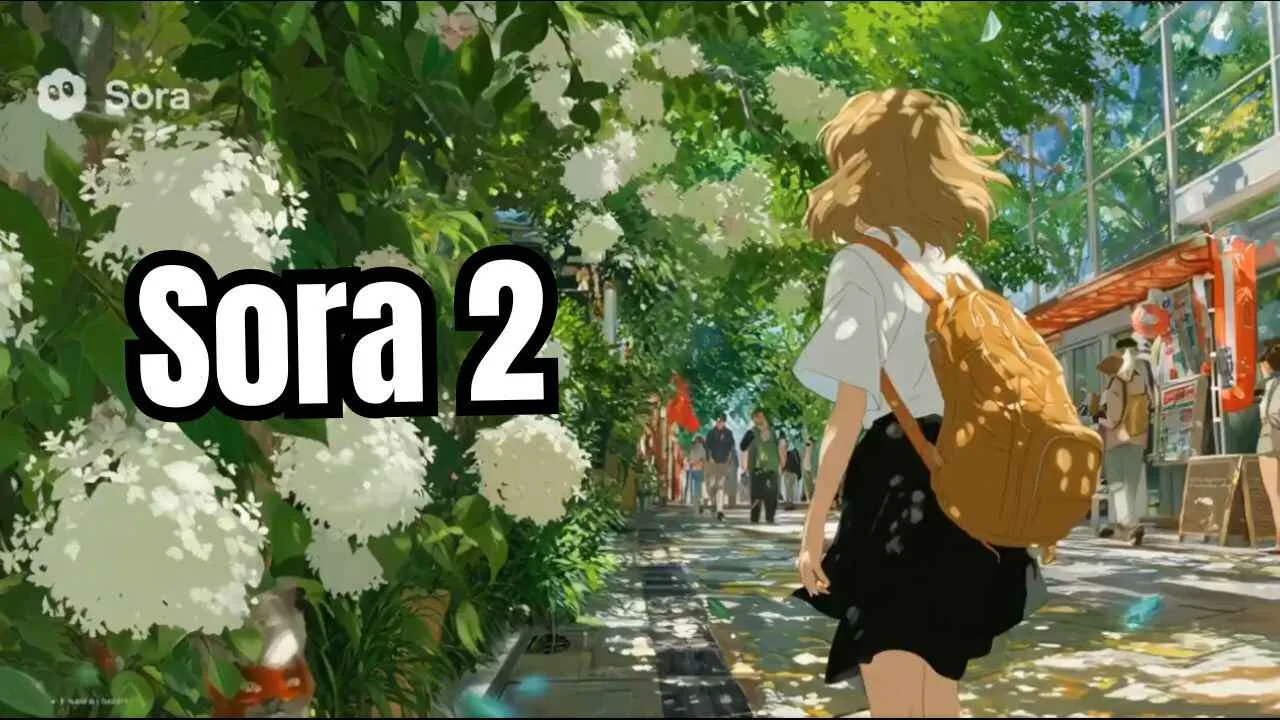
Sora 2: This week alone, we’ve seen big leaps like OpenAI’s Sora 2 getting open-source rivals, Google’s Nanobanana making image tweaks a breeze, and smarter models from DeepSeek and Anthropic. Whether you’re a hobbyist or a pro, these changes are game-changers. Let’s dive in and explore how they’re shaking up our world, one pixel and word at a time.
Overview of Realtime AI Video and the Rise of Smart AI Tools
Realtime AI video isn’t just a buzzword it’s like having a mini movie studio in your pocket. Tools now let you generate clips that respond instantly to your changes, adding audio or tweaking scenes on the fly.
Think of it as turning a simple prompt like a cat chasing a laser in a sunny room” into a lively video that plays out as you watch. Paired with upgrades in models like DeepSeek’s latest version, which handles long tasks super efficiently,
and Claude 4.5’s brainy coding skills, we’re seeing AI that feels more like a helpful buddy than a clunky machine. Nanobanana’s fresh tweaks make editing photos feel effortless, too.
And don’t get me started on realtime text-to-speech (TTS) – it’s bringing stories to life with natural voices in seconds. These tools are rising fast because they’re affordable, open-source friendly, and perfect for quick content like TikToks or work demos. In 2025, the key is blending them seamlessly, and that’s what this guide breaks down for you.
Realtime AI Video
What is Realtime AI Video?
Realtime AI video means creating or editing clips that happen right away, without waiting minutes for renders. Picture this: You start with a basic scene, like a robot dancing, and as you type “add fireworks,” the video updates live.
Nvidia’s LongLive tool does this brilliantly – it breaks videos into chunks for smooth, interactive playback, hitting up to 24 frames per second on good hardware.
It’s not perfect yet; faces might warp a bit in fast action, but for short bursts, it’s a thrill. Open-source options like OVI from Character AI take it further by baking in audio, so your video comes with synced sounds – all for pennies per clip on platforms like Fal.ai.
How Realtime AI Video is Changing Content Creation
Gone are the days of pricey software and endless edits. Now, creators can whip up social media reels in moments, saving hours. For example, a YouTuber testing OVI prompted a podcast scene with two speakers chatting, and it nailed the back-and-forth voices without glitches.
Businesses love it for quick ads – imagine tweaking a product demo live during a meeting. Tools like these cut costs by 80% compared to old methods, opening doors for small teams to compete with big studios. The catch? Quality dips in complex scenes, but updates are fixing that fast.
Read more : What Is Grokipedia? The New Way to Find Real Truth Online New Ai model
Read more : Latest Microsoft 365 Premium Lunch. Your Everyday AI Sidekick
Read more : 10 Gemini AI Prompts That Make Photos Go Viral
Claude 4.5
Claude 4.5 Features and Performance Overview
Claude 4.5 Sonnet, dropped by Anthropic on September 29, 2025, is a beast at coding and long tasks
It can grind for over 30 hours on multi-step problems, like building a full app from scratch. Safety’s baked in, with better alignment to human vibes, and it’s tops on benchmarks for math and agents – think solving grad-level science puzzles or writing clean code.
In tests, it aced creating a ray-tracing sim for a shiny sphere in a street scene, letting you tweak shine and height on the fly. But it’s not flawless; science tasks sometimes lag behind rivals like Gemini.
Claude 4.5 vs Previous Versions What’s New?
Compared to Claude 3.7, 4.5 ups the ante with a bigger brain for reasoning and fewer errors in code. It shines in agent work, like browsing or handling docs, and now integrates “Imagine with Claude” for on-the-spot app builds. Folks on X are raving about its stability for planning big projects, though some note it’s pricier for heavy use.
If you’re upgrading from older versions, expect smoother role-playing chats and fewer “hallucinations” – those weird made-up facts.
Nanobanana Upgrades
Nanobanana Upgrades Explained
Nanobanana, Google’s hot new image editor in Gemini 2.5 Flash, just got a glow-up with better aspect ratios and editing smarts. Upload a photo, say a horizontal landscape, and switch it to vertical while adding red dress in a blizzard – it reshapes without losing details. Now supporting 10 ratios, it’s ideal for social posts or prints. The upgrade fixes old limits, making it run smoother on phones.
How Nanobanana Upgrades Improve AI Performance
These tweaks boost speed and accuracy, letting you edit with natural language like add a bookshelf behind her.
Performance jumps in understanding scenes, cutting fuzzy results by half. For creators, it means pro-level tweaks without Photoshop headaches. X users are sharing wild tests, like turning selfies into memes, praising its viral potential. Overall, it makes AI feel more intuitive, ramping up daily use.
Realtime TTS text to speech
What is Realtime TTS?
Realtime TTS turns typed words into spoken audio instantly, like chatting with a robot friend who never pauses.Kani TTS, a tiny open-source gem, does this in under a second for 15-second clips, using just 2GB of GPU memory.It handles tricky tongue twisters or accents, like an Irish spin on “she sells seashells.
Best Realtime TTS Tools in 2025
Top picks include Kani for its low latency Apache license – free for biz use – and RealtimeTTS for streaming chats. Others like Kokoro shine in custom voices. Try Kani’s Hugging Face demo for Arabic or Korean samples; it’s spot-on for context.
AI Text to Speech & Voice Tech
Let’s talk about AI text-to-speech, or TTS for short. It’s like magic: you type words, and a computer reads them out loud in a voice that sounds almost human. In 2025, this tech is everywhere – from apps that read books to you while you drive, to videos where the narrator never gets tired. No more boring robot voices; now it’s smooth and full of feeling.
AI Text to Speech Overview
Picture this: You’re writing a story, and instead of hiring a voice actor, your laptop speaks it perfectly. That’s TTS in action. It started simple, like old phone systems saying “your call is important,” but now it’s powered by big AI brains. Tools like ElevenLabs lead the pack, letting you clone voices from just a short clip.
You can pick accents, speeds, or even emotions – happy, sad, excited. Why does it matter? For folks with reading challenges, it’s a game-changer. Businesses use it for customer service bots that chat like real people. And creators? They whip up podcasts in minutes.
Read more : 20 Gemini AI Prompts That Make Photos Go Viral
Read more : Wan 2.2 Animate: Turn Your Photos into 8K High Quality Video for Free use this
Neural TTS How It Works
Neural TTS is the smart heart of it all. Think of it as a brain made of math layers. First, the AI chews up your text – spotting words, pauses, and tones. Then, it uses something called a neural network, like a web of tiny decision-makers, to turn that into sound waves. Models like Tacotron2 or VITS do the heavy lifting, predicting how lips and lungs would move.
Nvidia’s Nano Codec smooths it out, adding that natural flow, just like in the Kani TTS from our YouTube chat – it crunches tokens super fast for realtime magic. In 2025, it’s even better with less robotic glitches, thanks to huge training on real voices. But heads up: it needs good hardware, or it might stutter on old phones.
Coqui TTS Review
Coqui TTS? It’s the free rebel in a world of paid apps. Open-source means anyone can tweak it, perfect for coders who hate subscriptions. In tests this year, it shines for voice cloning – feed it 3 seconds of your grandma’s laugh, and boom, she “narrates” your family video.
Pros: Super flexible, runs on your laptop without internet, and it’s lightweight. Cons: Setup can be a headache if you’re not techy – think installing Python packages that fight each other. Compared to ElevenLabs, Coqui’s free but needs more elbow grease. Folks on Reddit say it’s still kicking in 2025, especially for custom projects like game characters. If you’re dipping toes, start with their GitHub demos; they’re easy and fun.
Python TTS Integration Guide
Want to build your own? Python’s your friend – simple and free. Install gTTS with a quick “pip install gtts,” then write: from gtts import gTTS; tts = gTTS (Hello, world!); tts.save hello.mp3). Play it, and you’re golden. For fancier stuff, add libraries like pyttsx3 for offline voices. In 2025, mix in OpenAI’s TTS-1 for pro sounds: just swap the import and add an API key. It’s like Lego – stack it into apps for reading emails aloud or turning notes into audio flashcards. Pro tip: Test on different accents; Python handles them like a champ.
TTS API for Developer
APIs make TTS plug-and-play. Hugging Face’s got free tiers where you call a URL with your text, and it spits back audio files. Amazon Polly or Google Cloud charge per word but scale huge – think millions of calls for big apps. In 2025, Tavus tops lists for lifelike clones in videos. Devs love the speed: under a second for short clips. Just watch costs; free limits fill up fast if you’re building a chatbot army.
Google Text to Speech Still the Benchmark?
Google’s WaveNet? Yeah, it’s the gold standard. Natural as your neighbor chatting over the fence, with 200+ voices in 40 languages. In 2025, it edges out rivals in fluency, but open-source like MeloTTS catches up on price – free forever. Google’s pricey for heavy use ($4 per million chars), but unbeatable for pros. If you’re casual, skip it for something lighter.
Real-time Speech-to-Text Open Source Projects
Whoops, that’s more STT – turning talk into text. But for TTS fans, check RealtimeTTS on GitHub; it streams voices live for calls or games. Pair it with Whisper for full convos. Open-source gems like eSpeak NG run realtime on weak hardware – no lag, all heart.
Awesome Text-to-Speech GitHub Resources
GitHub’s a treasure chest. Mozilla TTS has models you fine-tune for pirate accents. Tortoise TTS clones celebs ethically. Dive in: fork a repo, train on your data, and share. Communities buzz with tips – it’s where 2025’s next big voice starts.
Open-Source Sora 2 Full Breakdown
Sora 2 from OpenAI dropped like a bomb last week – videos from text that look real, with sounds baked in. But open-source versions? They’re the people’s reply, free and tweakable. Think OVI or Open-Sora 2.0: they mimic Sora’s tricks without the paywall.
From the YouTube scoop, OVI nails podcasts with multiple voices, even singing. Why open-source? Run it local, no queues, and hack for wild ideas like robot dances.
Open-Source Sora 2 Overview
These aren’t knockoffs; they’re evolutions. Hunyuan and Mochi match Sora’s quality on a budget, generating 10-second clips in minutes. Mora’s multi-agent setup lets AIs “team up” for better scenes – one handles motion, another audio. In 2025, they’re closing the gap, with LTX adding transparency like Alibaba’s One Alpha for layering videos.
Read more :
What is Sora 2?
Sora 2’s core: text-to-video wizard, now with audio and self-inserts – pop yourself into Mario’s kart chase. Up to 60 seconds, 1080p, physics that don’t flop. Open versions like it, but need beefy GPUs.
What is Sora V2?
Just shorthand for the upgrade – more control, less glitches. V2 adds storyboards for plotting scenes like a director.
What is Sora 2 AI?
The engine: diffusion models predict frames, blending with audio nets for synced booms and whispers.
What is Sora Video Generation in ChatGPT?
Built right in – type in ChatGPT, get a clip. Free tier limits to shorts, but pros get unlimited.
Using Sora by OpenAI
Getting hands-on with Sora 2 feels like directing your first blockbuster. Log in via the app, type a prompt, and watch it unfold. From transcript gems: Pikachu on the grill, pink and juicy – it chars just right.
How to Use Sora Open AI
Start simple: Open the Sora app (iOS now, Android soon), hit create, describe your scene. Tweak with add rain mid-gen realtime magic.
How to Use Sora 2
Same flow, but tag audio: [voice:deep] Keep hands on the wheel! for Mario’s wild ride.
How to Give Prompts to Sora?
Be vivid: Who? What? Where? Style? A boy drinks from a translucent bottle in a forest, bubbly effects.
OpenAI Sora 2 Prompts
Try: Naruto and Goku selfie in cyberpunk Tokyo nails outfits, even leaf logos.
Sora Storyboard Explained
Like comic panels: Sketch 4-5 frames, Sora fills the gaps for smooth stories.
Can Sora AI Generate Realistic Scenes?
Mostly yes flames glow right, hair flows. But crowds? Fingers might multiply. Fixes coming fast.
Sora 2 Access and Availability
Sora 2’s hot, but gated. Free start in US/Canada, expanding soon.
Is Sora OpenAI Free?
Yes, basics – 5-second clips, watermarks. Pro lifts limits.
Where is Sora 2 Available?
US/Canada first, global rollout by November.
Sora 2 India Availability
Waitlist open, VPN tricks work for now.
Sora 2 Web
Sora.com – web gen, no download.
Sora 2 Website
Openai.com/sora for deets.
Sora 2 Android
Beta via APK, full app Q4.
Sora 2 App
iOS standalone, slick interface.
Sora 2 Download
App Store or site.
Sora 2 APK
Side-load carefully.
Sora 2 Pricing
Free tier; Pro $200/month for 16s HD, no marks.
Sora 2 Invite and Code System
Invite-only keeps it exclusive. X buzz: Join OpenAI Discord for codes, or buy one via coffee links.
How to Get Sora 2 Code
Waitlist on site, or snag from shares.
Sora 2 Invite Code Explained
One-time keys for new accounts.
Sora 2 Invite Code Access
Enter at signup; shareable but tracked.
Sora 2 Copyright & Safety
OpenAI’s walking a tightrope. Sora 2 blocks harms upfront, but copyright? It generated Disney clips by default – oops. Now, more controls for owners.
Sora 2 Copyright Explained
users own outputs, but trained on public data – flag issues.
How Sora 2 Handles Copyright Issues
Granular blocks, watermarks, and opt-outs. “No Mickey” prompts auto-skip.
Sora 2 Tutorials & Learning
New? No sweat. Official vids on YouTube walk you: Prompt basics to exports.
Sora 2 Tutorial Step-by-Step
Sign up/code. 2. Basic prompt. 3. Add audio/tags. 4. Edit/re-gen. 5. Share.
Sora 2 Video Generator Free Guide
Free tier: Short clips, upscale tips like high-res mode.
Sora 2 for Developers & Integration
Devs, API’s beta – embed in apps for custom gens.
Sora 2 Web Tools
JS wrappers for browser embeds.
Sora 2 Open AI Integration
Call via SDK: python openai.Video.create(prompt=”…”). Scale with cloud.
Future of AI Video, DeepSeek, Nanobanana, and Realtime TTS in 2025
Wrapping up, 2025’s AI wave – Sora’s videos, DeepSeek’s efficient brains, Nanoban’s easy edits, TTS voices – blends into one creative storm. Open-source keeps it fair; safety nets grow. Imagine robots learning flips via OmniRetarget, or Claude 4.5 coding your dreams. It’s exciting, a bit scary, but oh-so-fun. Jump in, experiment – the future’s yours to voice and frame.